
Microsoft Surface Dock
for Tablet PC, Notebook - USB 3.0 - 4 x USB Ports - 4 x USB 3.0 - Network (RJ-45) - DisplayPort - Audio Line Out - Wired
About This Product
Overview
Get right to work
Instantly transform your Surface into a desktop PC. Plug in the Surface Connect cable to charge your device and access external monitors, keyboard, mouse, and more. Find the perfect viewing angle, or position your device to take advantage of the robust pen capabilities.
All the ports you need
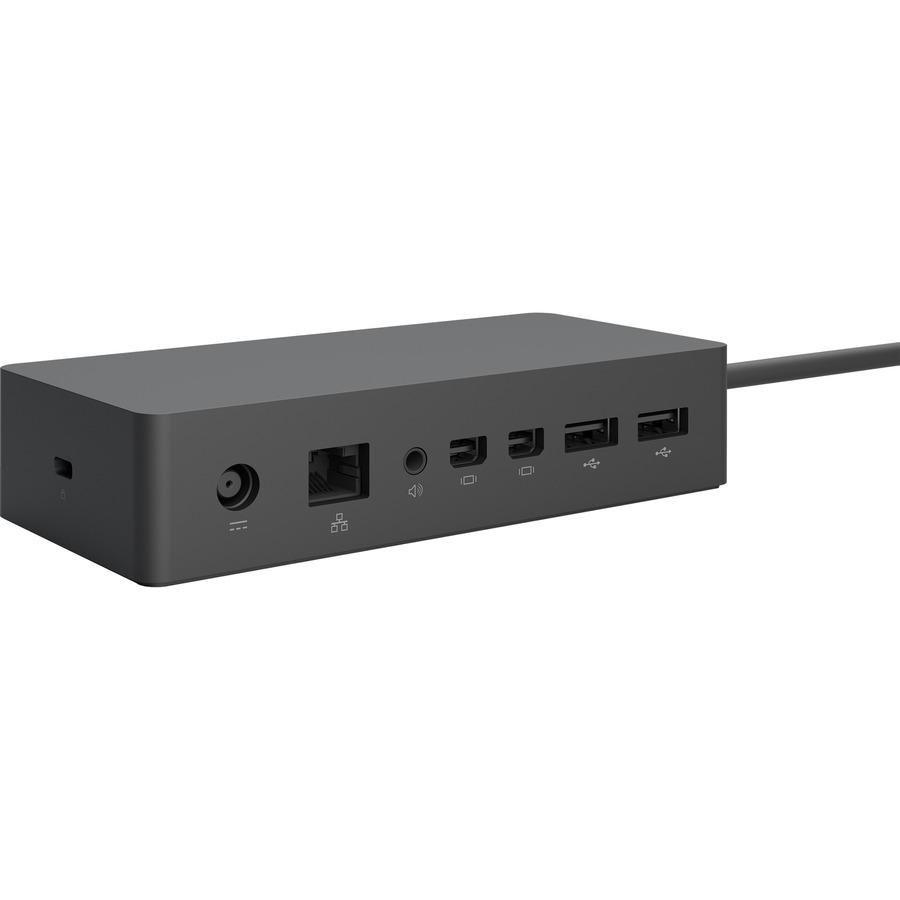
With two high-definition video ports, a Gigabit Ethernet port, four high-speed USB 3.0 ports, and an audio output, you've got all the connections you need in a sleek, compact design.
Lightning fast with minimalist design
Surface Dock uses Surface Connect technology which enables high-speed transfer of video, audio, and data over a single cable, keeping your desk clutter-free. It also has a Gigabit Ethernet port giving you a fast, reliable connection to your network.
Easy setup
Surface Dock is quick and easy to set up. Connect your peripherals to Surface Dock and then attach the magnetic Surface Connect cable to your device. It's that easy.
- Wired connectivity technology provides a high-powered and dependable connection
- USB 3.0 host interface allows quick transmission of data at a higher rate for your convenience
- Docking Station provides a convenient and easy charging solution for your notebook with maximum usability
- 4 USB ports allows powerful and efficient transfer of data with maximum productivity
Quick Specifications
- Product Type
- Docking Station
- Connectivity Technology
- Wired
- Device Supported
- Tablet PC Notebook
- Host Interface
- USB 3.0
- Audio Line Out
- Yes
- Total Number of USB Ports
- 4
- Number of USB 3.0 Ports
- 4
- Network (RJ-45)
- Yes